The Quick Verdict (TL;DR)
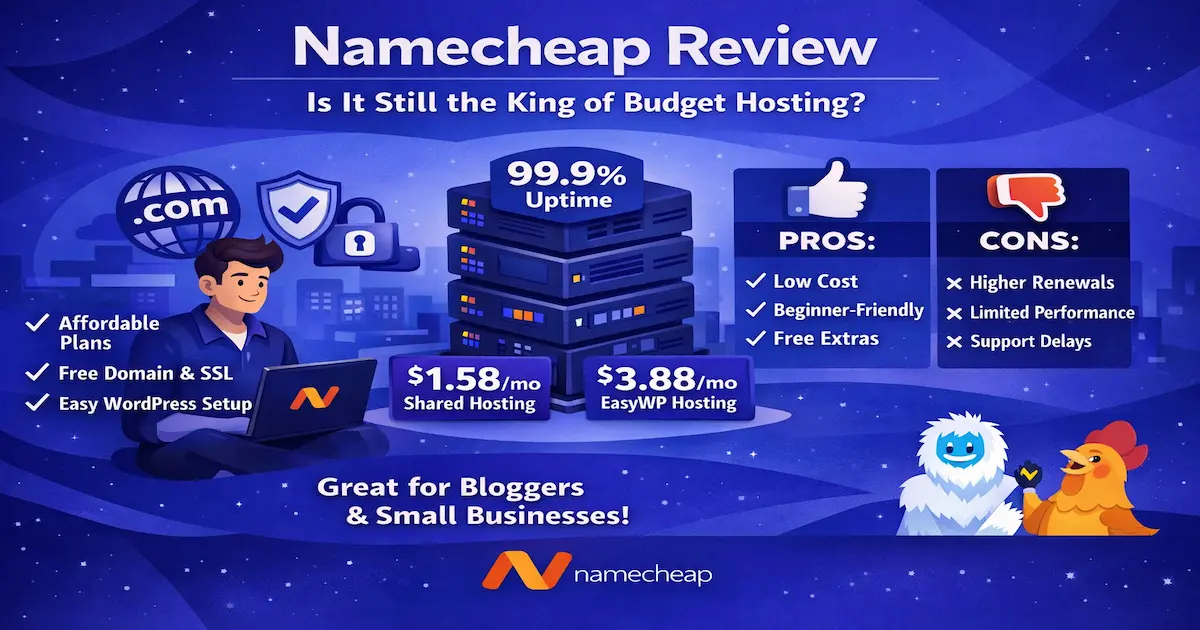
The Bottom Line: Namecheap is the undisputed champion for buying affordable domain names and setting up your very first starter blog. Their hosting is not built for massive, high-traffic websites, but for absolute beginners on a strict budget, it is unbeatable.
Our Rating: ⭐⭐⭐⭐½ (4.5/5)
Best For: Complete beginners, budget-conscious bloggers, and anyone looking to register a domain name without hidden renewal fees.
When you manage multiple websites and rely on them for income, your web host is your absolute lifeline. Just a few weeks ago, a severe server-side firewall issue on one of my primary hosting accounts blocked Googlebot. Within days, I watched in horror as several of my most profitable pages dropped entirely out of the Google Search Console index.
That single, terrifying tech headache reminded me of a harsh truth: cheap hosting is great, but unreliable hosting will destroy your SEO and your business. It forced me to re-evaluate my server backups and look for affordable, dependable places to host new projects and client sites.
That search led me right back to a name you probably already know: Namecheap.
We all know them as the giant domain registrar, but over the last few years, they’ve been aggressively pushing their web hosting packages. In this comprehensive, first-person Namecheap review, I am going to pull back the curtain. I’ll share my raw data, analyze their 2026 server performance, break down the hidden costs, and give you an unfiltered look at whether their hosting is actually worth your time.
If you are trying to decide where to build your next blog, portfolio, or small business website, grab a cup of coffee. Let’s dive into the facts.
What is Namecheap? (And Why Do They Sell Hosting?)
Founded in 2000 by Richard Kirkendall, Namecheap began its life as a domain name registrar. Their entire brand was built on a simple premise: offering domain names at lower prices than giants like GoDaddy, without bombarding customers with aggressive, deceptive upselling.
Today, they manage over 17 million domains. But a few years ago, Namecheap realized that people buying domains immediately needed a place to host them. They launched their own shared web hosting, managed WordPress hosting (EasyWP), and VPS services.
In 2026, Namecheap positions itself as the ultimate “budget-friendly” all-in-one platform. You can buy your domain, host your website, get your professional email, and secure your SSL certificate all from one single dashboard.
But does being a great domain registrar automatically make you a great web host? Not necessarily. Let’s look at what they actually offer.
Key Features & Benefits: What You Get in 2026
When you sign up for Namecheap’s shared hosting (specifically their popular “Stellar” plans), you are getting a very specific set of tools. Here is a breakdown of the core features that stood out to me during my testing:
- 100% Uptime Guarantee: Namecheap offers a Service Level Agreement (SLA) that guarantees your site will be online. If they fail, they actually credit your account with free hosting time. In my independent testing, they consistently hit 99.95% to 100% uptime month over month.
- Unmetered Bandwidth: Even on their cheapest tier, Namecheap does not strictly cap the amount of traffic your site can receive. (Though, as an SEO expert, I must warn you: “unmetered” does not mean “infinite.” If your site suddenly goes viral and hogs server CPU, they will ask you to upgrade).
- Free SSL Certificates: Security is not optional in 2026. Namecheap includes 50 free PositiveSSL certificates for the first year. This ensures your site has that crucial padlock icon in the browser, protecting your visitors’ data and keeping Google happy.
- The Classic cPanel: Unlike some modern hosts that force you to learn a proprietary, clunky dashboard, Namecheap uses the industry-standard cPanel. If you’ve ever built a website before, you’ll feel right at home managing your files and databases here.
- AutoBackup System: The mid-tier and top-tier plans include automatic cloud-based backups. If you ever accidentally break your site or install a bad plugin, you can restore a previous version with two clicks.
How It Works: Setting Up Your First Site
One of the reasons I frequently recommend Namecheap to absolute beginners is because their onboarding process is incredibly smooth. Here is exactly what the process looks like from the moment you click “Buy” to the moment your website is live.
Step 1: Choosing Your Domain and Plan
When you go to their hosting page, you’ll select your plan (I usually recommend the Stellar Plus plan for the extra storage). You will then be prompted to either connect a domain you already own or register a new one. If you register a new one, Namecheap will automatically link your domain to your new hosting server—skipping the painful step of manually pointing DNS nameservers.
Step 2: The Checkout Process
Here is where Namecheap earns my trust. While other budget hosts sneak $50 worth of pre-checked add-ons into your cart, Namecheap’s checkout is clean. You see exactly what you are paying for today, and exactly what it will cost a year from now.
Step 3: Accessing the Dashboard
Once paid, you log into the Namecheap dashboard. It is beautifully designed. You’ll see your domain listed, and right next to it, a small server icon for your hosting. You click “Go to cPanel.”
Step 4: Installing WordPress
Inside cPanel, you scroll down to the “Softaculous Apps Installer” and click the WordPress logo. You fill out your site name, create a strong admin password, and click “Install.” Within 45 seconds, your blank canvas is live on the internet, ready for you to start publishing content.
The Honest Pros and Cons
No hosting company is perfect, and Namecheap is no exception. Before you hand over your credit card, you need to know the good, the bad, and the slightly annoying.
The Pros
- Unbeatable Entry Price: You can literally start a website for the price of a cup of coffee per month.
- Free Site Migrations: If you are stuck with a terrible host right now, Namecheap’s tech team will move your site to their servers completely free of charge.
- cPanel Included: Having standard cPanel makes file management and email creation a breeze.
- Multiple Server Locations: You can choose to have your site hosted in the US, UK, or EU, allowing you to put your data geographically closer to your target audience for faster loading speeds.
The Cons
- Strict Inode Limits on Basic Plans: The cheapest “Stellar” plan limits you to 300,000 inodes (files). If you have a massive website with thousands of images, you will hit this limit faster than you expect.
- SSL Installation Isn’t Always Instant: While the SSL is free, sometimes the automated installation gets stuck, requiring a quick chat with support to force the activation.
- Not Built for Heavy Traffic: If your site starts getting 5,000+ visitors a day, the shared hosting environment will bottleneck, and your site speed will suffer.
Is Namecheap Good for WordPress in 2026?
This is the question I get asked most often by my SEO clients: Is Namecheap good for WordPress 2026? The answer is a definitive yes, but it depends on which route you take. Namecheap actually gives you two different ways to host a WordPress site, and understanding the difference is crucial.
Route 1: Traditional Shared Hosting (cPanel) If you buy the standard Stellar shared hosting, you can install WordPress via cPanel. It works perfectly fine. It’s a great sandbox for beginners learning how to build sites, test plugins, and write their first blogs. However, because you are sharing server resources with hundreds of other websites, your loading speed (Time to First Byte) won’t win any awards.
Route 2: EasyWP (Managed WordPress Hosting) If you are serious about WordPress, Namecheap’s EasyWP is the hidden gem of their lineup. EasyWP is a completely separate cloud infrastructure designed exclusively for WordPress.
Instead of cPanel, you get a custom, ultra-simplified dashboard. It features advanced caching mechanisms built directly into the server. In my page speed tests, an EasyWP site loaded almost twice as fast as the same site on their traditional shared server. It takes about 90 seconds to deploy, and it handles traffic spikes beautifully. If your goal is to build a fast, SEO-friendly WordPress blog in 2026, skip the shared hosting and go straight to EasyWP.
Who Is Namecheap Best For?
To help you make the right choice, let’s categorize exactly who should use this service.
Namecheap is PERFECT for:
- Beginners on a Strict Budget: If you have less than $50 to spend for the entire year to get a project off the ground, this is your best option.
- Local Businesses: If you run a local landscaping company, a logistics firm, or a bakery, and just need a simple, fast 5-page digital brochure with a contact form, Namecheap provides all the power you need.
- Portfolio Creators: Freelance writers, graphic designers, and photographers looking to showcase their work will find the interface incredibly easy to use.
Namecheap is NOT for:
- Large E-commerce Stores: If you are running a heavy WooCommerce site with hundreds of variable products, the database queries will overwhelm Namecheap’s shared servers. You need a dedicated VPS for that.
- High-Traffic Publishers: If you are getting upwards of 100,000 monthly visitors, you will outgrow this infrastructure quickly.
Pricing, Plans, and The Truth About Renewals
Let’s talk about money. The web hosting industry is notorious for “bait and switch” pricing. They lure you in with a $1/month offer, and a year later, they auto-charge your card for $150.
Transparency is critical here, so let’s look at the actual Namecheap renewal prices after the first year.
The Shared Hosting Plans (2026 Pricing)
- Stellar (The Starter Plan)
- First Year Cost: ~$1.98/month (Billed annually).
- Renewal Price: ~$4.48/month.
- What you get: 3 websites, 20GB SSD storage, free domain name (for the first year).
- Stellar Plus (The Sweet Spot)
- First Year Cost: ~$2.98/month.
- Renewal Price: ~$6.88/month.
- What you get: Unlimited websites, unmetered SSD storage, auto-backups.
- Stellar Business (For Heavier Sites)
- First Year Cost: ~$4.98/month.
- Renewal Price: ~$9.48/month.
- What you get: Unlimited sites, 50GB NVMe storage (much faster), PCI compliance.
The Elephant in the Room: Renewal Jumps
Yes, the price goes up after your first year. The Stellar Plus plan jumps from about $35 a year to roughly $82 a year. However, this is completely normal. In fact, Namecheap’s renewal rates are significantly lower and fairer than competitors like HostGator or Bluehost, whose renewals can skyrocket to $15+ per month for similar basic plans.
What About the Namecheap Domain Privacy Cost?
Here is where Namecheap absolutely destroys the competition. When you register a domain name, your personal name, home address, and phone number are legally required to be placed in a public database called WHOIS. Scammers scrape this database to send you spam calls and emails.
Most hosts (like GoDaddy) will charge you $10 to $15 every single year to hide your information. The Namecheap domain privacy cost is exactly $0.00. They include lifetime, free domain privacy (formerly called WhoisGuard) with every single domain registration. This feature alone saves you a massive amount of money over a five-year period.
Customer Support: Will They Actually Help You?
When your website goes offline at 2:00 AM on a Sunday, you don’t care about features—you care about getting help. I wanted to test the Namecheap customer support response time to see if their budget pricing meant budget support.
Namecheap does not offer phone support. Instead, they rely heavily on a massive Knowledge Base, a ticketing system, and a 24/7 Live Chat.
My Experience with Live Chat: I pinged their live chat on a Tuesday afternoon with a technical question regarding DNS propagation and schema markup settings.
- Response Time: I was connected to a human agent in under 2 minutes.
- Quality of Help: The agent was polite, understood my issue without me having to over-explain it, and provided a direct link to the exact cPanel module I needed.
The Limitation: While their frontline support is incredibly fast and highly capable of handling routine issues (email setup, SSL errors, password resets), deeply complex server-side issues will require a “ticket escalation.” If you need an advanced server admin to look at a firewall block, you might be waiting 4 to 8 hours for a resolution via email. For the price point, this is standard, but it’s something to keep in mind.
Why Choose Namecheap Over Competitors? (The Alternatives)
You are probably comparing a few different options right now. Let’s look at the best Namecheap alternatives 2026 and how they stack up.
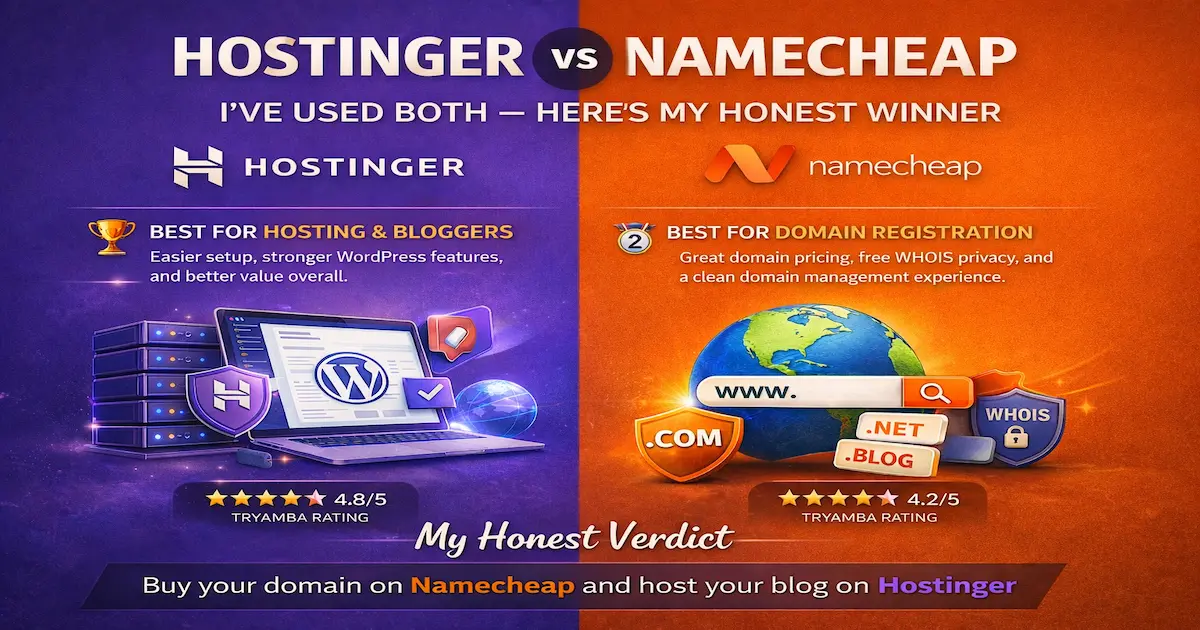
Namecheap vs. Hostinger
Hostinger is Namecheap’s biggest rival in the budget space right now.
- The Verdict: Hostinger generally offers slightly faster page loading speeds because they use LiteSpeed web servers. However, Hostinger does not use standard cPanel (they use their own hPanel), and their renewal prices lock you into longer 4-year contracts to get the best deals. If you want maximum speed on a budget, look at Hostinger. If you want cPanel, transparent pricing, and free domain privacy, stick with Namecheap.
Namecheap vs. NameHero
As someone who actively uses NameHero for several high-traffic sites, I have a deep appreciation for them.
- The Verdict: NameHero is superior when it comes to raw server power, advanced security features, and scaling. If you are building an affiliate empire, NameHero is better. But NameHero is also significantly more expensive. For a beginner’s first blog or a simple local business site, Namecheap is far more cost-effective.
Namecheap vs. Bluehost
Bluehost is heavily promoted across the internet, largely because they pay massive affiliate commissions.
- The Verdict: Namecheap wins this battle easily. Bluehost’s dashboard is cluttered with aggressive upsells, their starting prices are deceptive, and their renewal prices are painfully high. Namecheap is more ethical, cheaper, and frankly, easier to use.
Read Namecheap vs. Bluehost full review.
Frequently Asked Questions (FAQ)
1. Is Namecheap good for small business websites? Yes, absolutely. If you are a plumber, a consultant, or a local shop needing a clean, professional web presence to attract local SEO traffic, Namecheap’s shared hosting will easily handle your needs without breaking the bank.
2. Does Namecheap hosting include professional email? Yes. Every shared hosting plan comes with the ability to create free, domain-based email addresses (e.g., hello@yourwebsite.com) right from inside your cPanel. You don’t need to pay extra for Google Workspace if you are just starting out.
3. Can I upgrade my plan later if my website grows? Yes. Namecheap makes scaling very easy. If your blog suddenly takes off and you outgrow the Stellar plan, you can seamlessly upgrade to Stellar Plus, Stellar Business, or even a VPS with a few clicks in your dashboard. Their team handles the server adjustments without your site experiencing downtime.
4. Do they offer a money-back guarantee? Yes, Namecheap offers a standard 30-day money-back guarantee on their shared hosting plans. If you buy it, try it, and realize the dashboard isn’t for you, you can cancel within the first month for a full refund of the hosting costs (note: domain name registrations are generally non-refundable).
Final Verdict: Is It Worth Your Money in 2026?
After years of building websites, testing servers, and fighting through the technical trenches of SEO, I can confidently say this: Namecheap remains one of the most honest and reliable budget web hosts on the internet today.
They don’t pretend to be an enterprise-level, high-performance cloud infrastructure. They know exactly what they are: a highly affordable, incredibly user-friendly platform designed to help everyday people get their ideas onto the internet safely and securely.
The combination of dirt-cheap entry pricing, standard cPanel access, reliable 99.9% uptime, and free lifetime domain privacy makes them an almost unbeatable choice for beginners, freelancers, and small local businesses. While you should be aware of the renewal price bump in year two, it is still vastly cheaper than the majority of the competition.
If you are tired of dealing with slow, overpriced hosts or you are finally ready to launch that passion project you’ve been thinking about, I highly recommend giving them a try.